What Payli does, from employee to filing

Seven parts, in the order you use them. Every part is in every plan. The application itself is available in Dutch, English and Spanish.

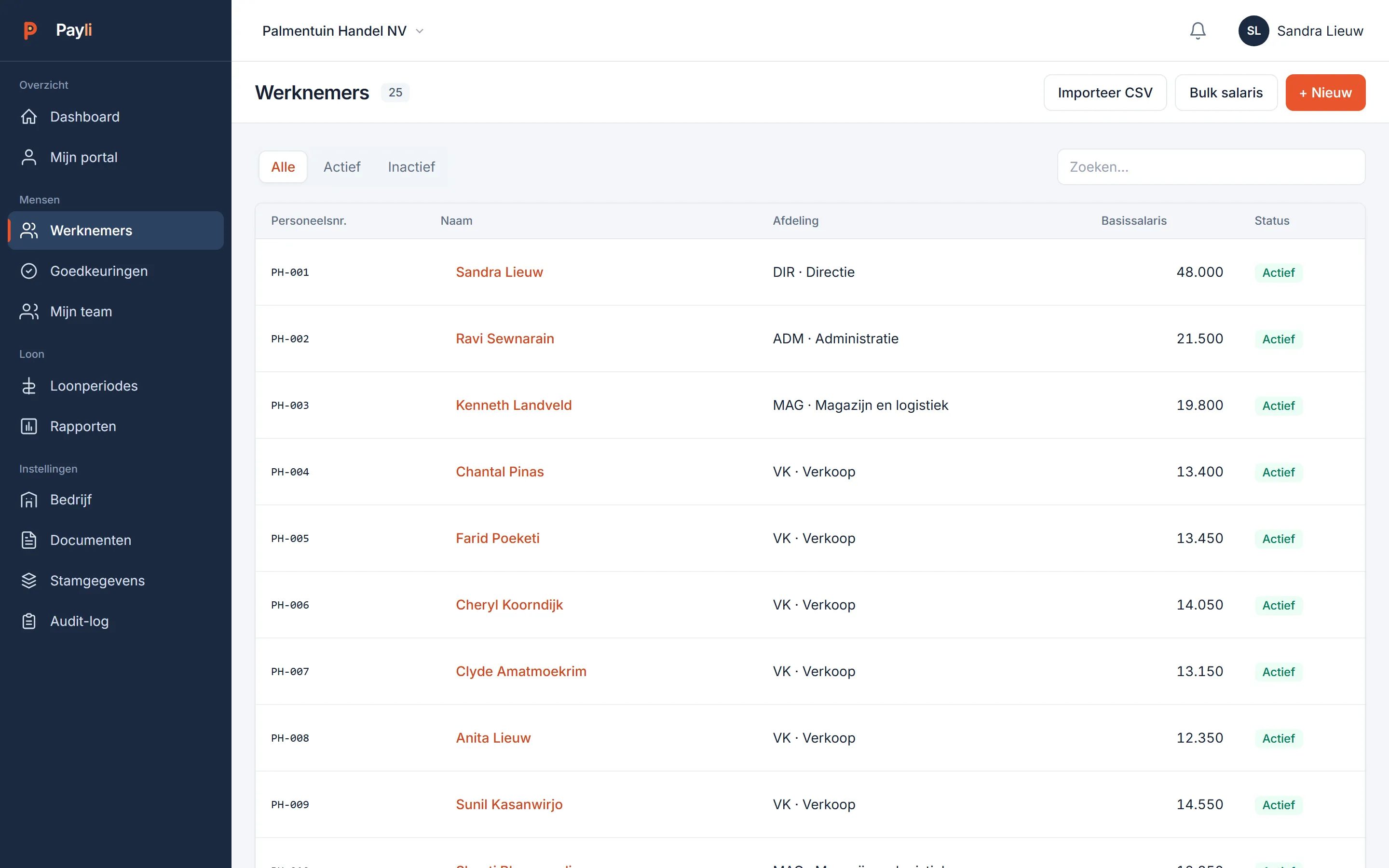
List of employees with employee number, department, contract type and status
Employees

Start with who works for you.

Add an employee in five fields or import the whole list from a spreadsheet. Contract type, department, cost centre, bank account and tax table sit on one screen; every salary change goes into the history.

  • Permanent, fixed-term, internship or on call, with end-date monitoring
  • Monthly or hourly pay, with fixed components such as travel and phone allowance
  • Cost centre and department per employee, split across several cost centres
  • Bulk entry from a spreadsheet; check on duplicate employee numbers
  • Leavers with a pro-rata final month; anonymise after the retention period
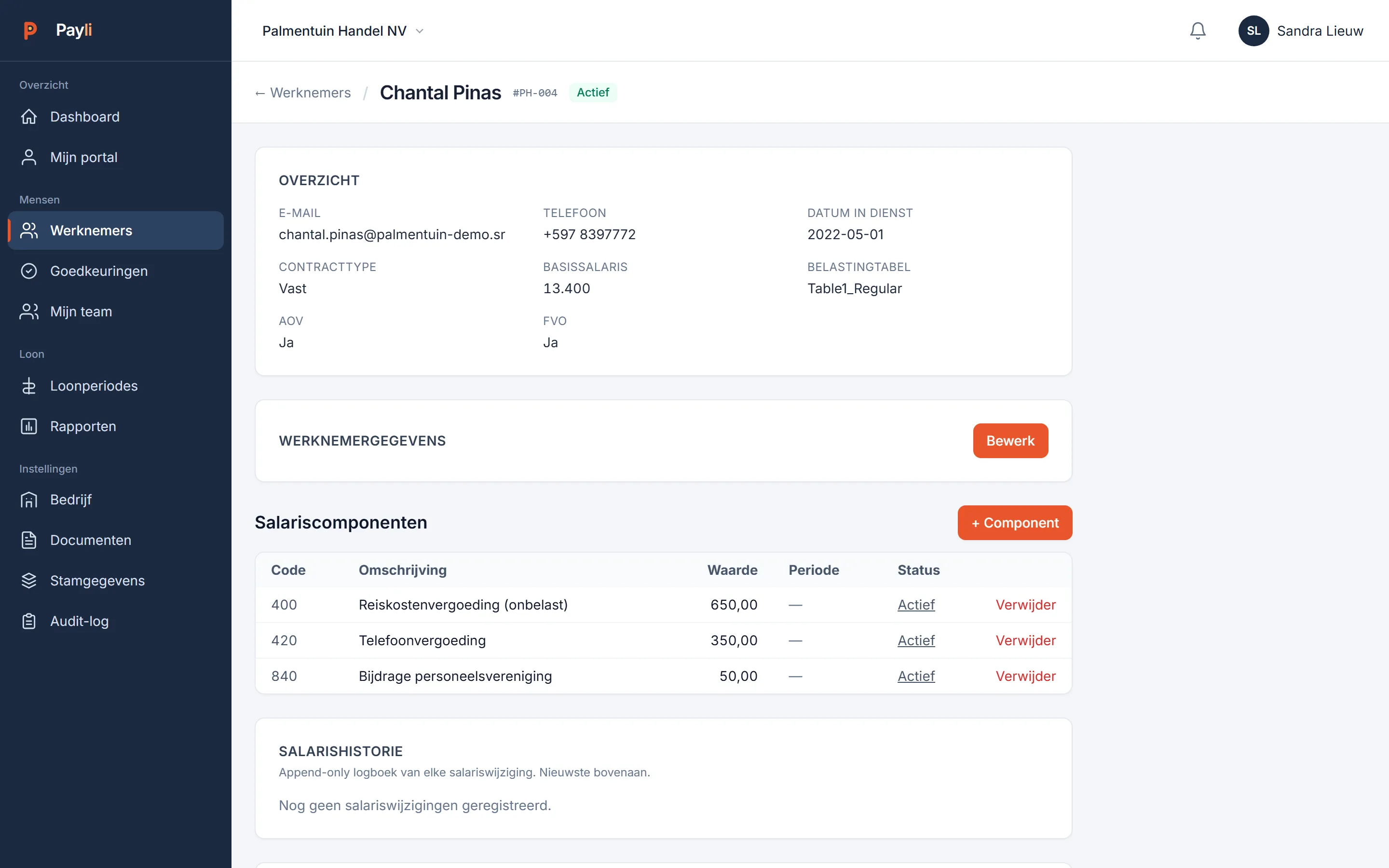
Employee screen with overview, salary components and salary history
Employees

One screen per person.

Overview, components, documents, leave and history together. What you change here applies from the next period; what has been approved stays as it is.

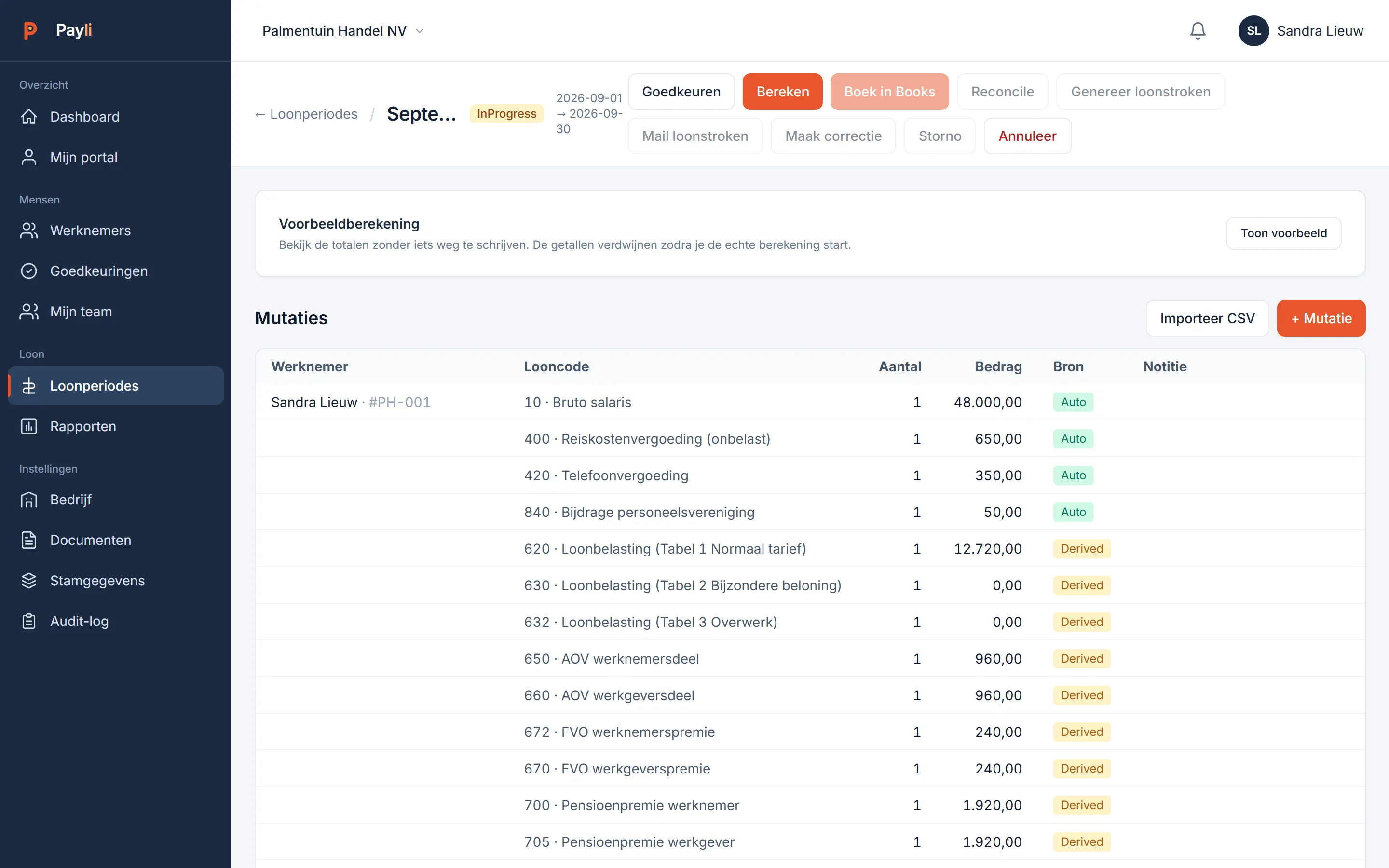
Open payroll period September 2026 with calculated entries
Payroll processing

Calculate, check, approve.

A payroll period is a list of entries per employee: salary and fixed components come by themselves, hours and one-off amounts you add. Calculate puts wage tax, AOV, FVO and pension premium underneath. Approve closes the period and releases payslips, filings and the bank file.

  • Wage tax table 1 (regular), 2 (special remuneration) and 3 (overtime)
  • AOV employee and employer share, FVO, APF pension premium with floor and ceiling
  • Holiday allowance, 13th month, bonus and lump sums with the right table
  • Pro rata for joiners and leavers within the period
  • Correction period and reversal on an approved period, with the difference shown separately
  • Monthly, weekly, fortnightly and four-weekly pay schedules side by side
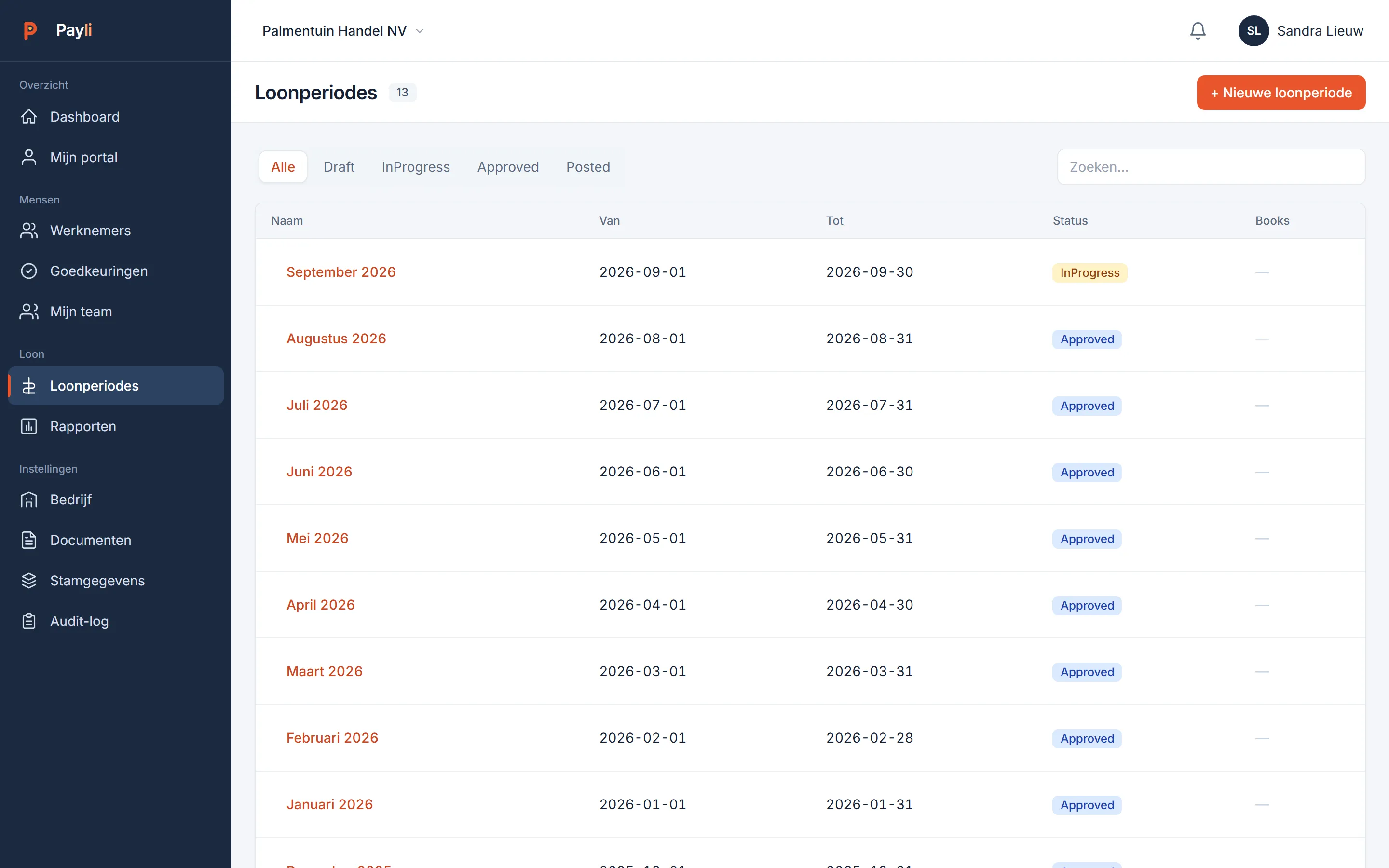
Overview of payroll periods with status
Payroll processing

Every period with its status.

Draft, calculated, approved, posted. One list shows where every period stands, and an approved period does not change without a visible correction.

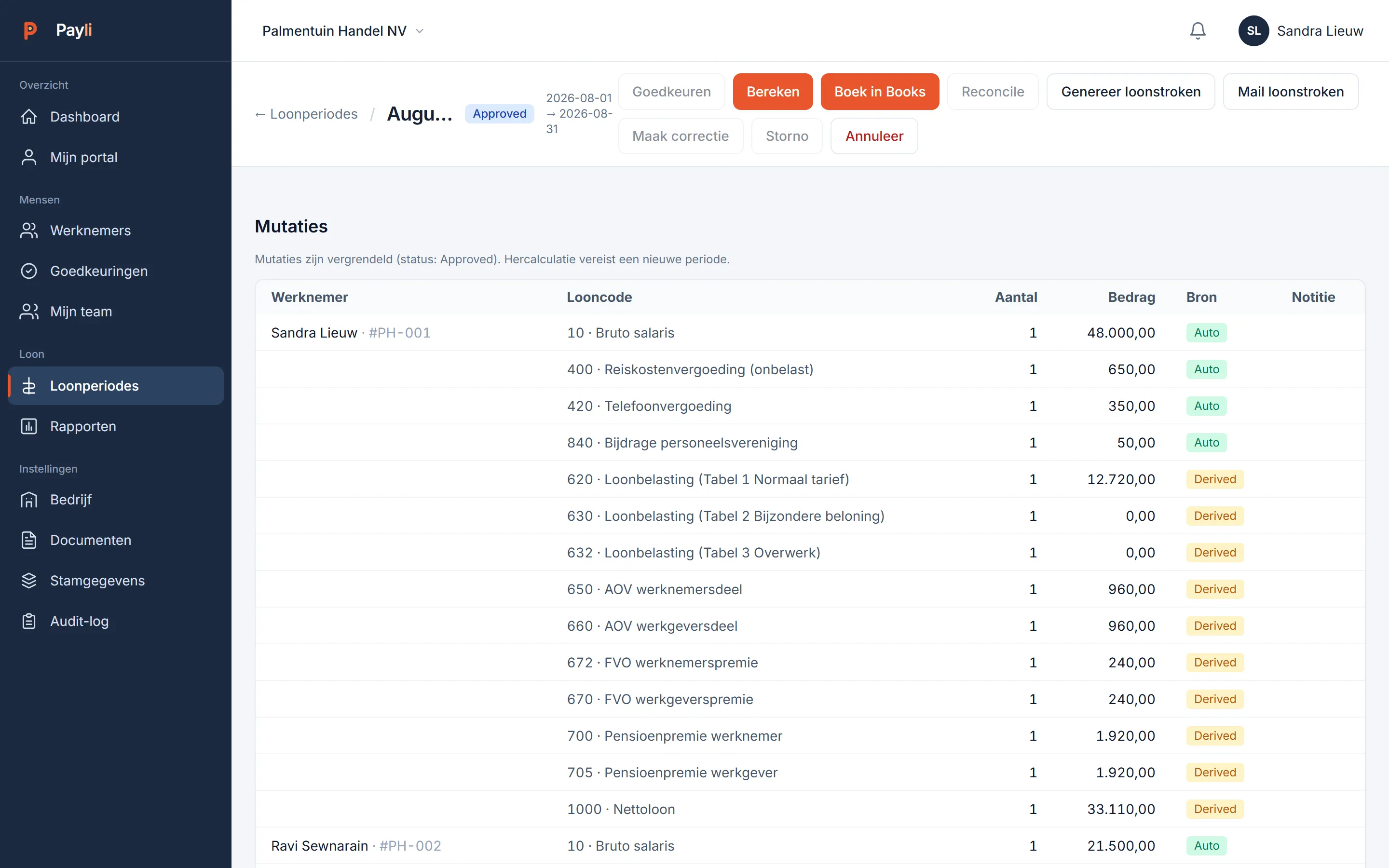
Approved period August 2026 with buttons to generate and e-mail payslips
Payslips

Payslips in the portal and in the inbox.

After approval Payli generates the payslips as PDF, places them in the employee's portal and e-mails them. A reversal takes them back until the correction is approved.

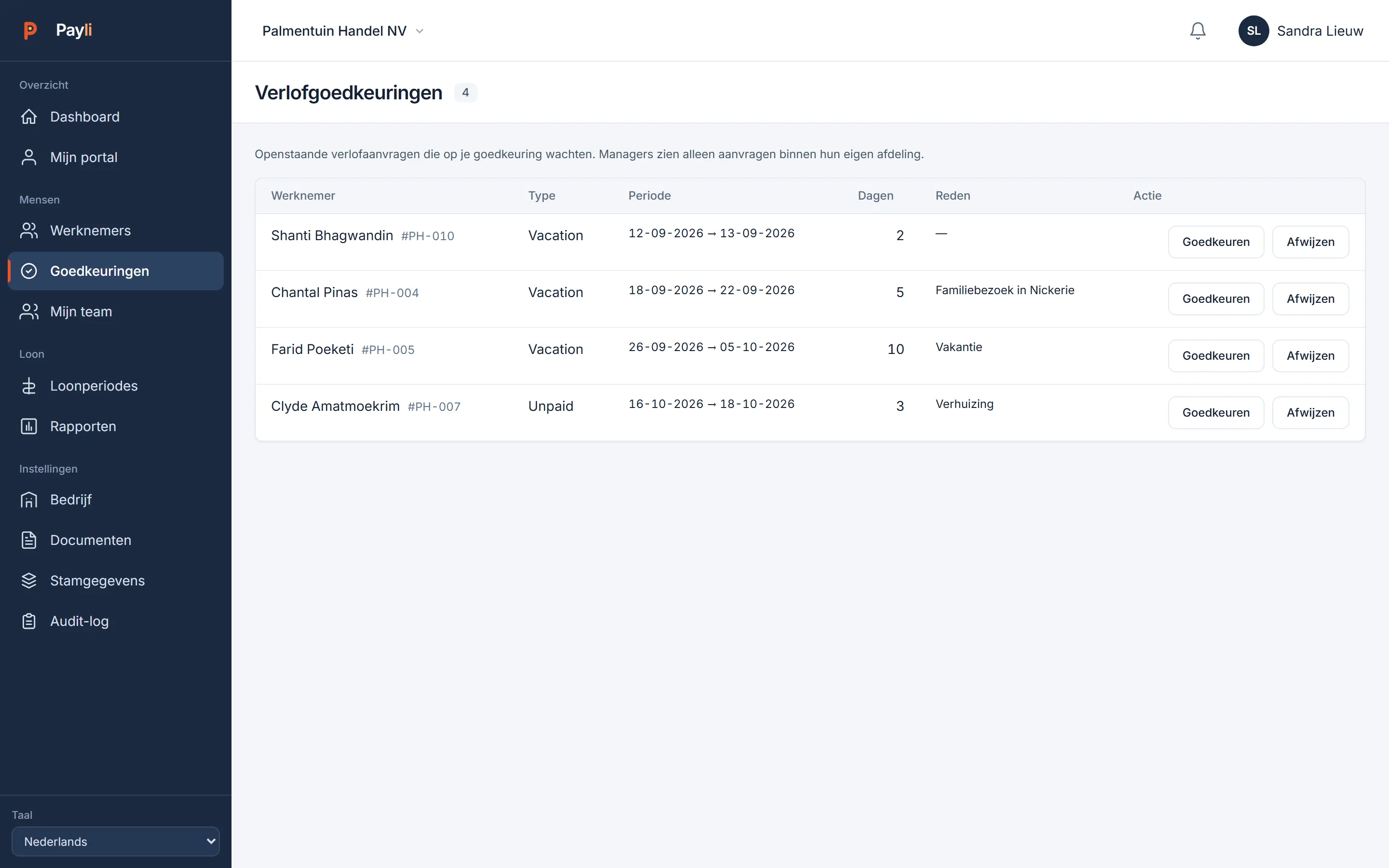
Approvals: pending leave requests per employee
Leave

Requested in the portal, approved per department.

  • Holiday, sickness, unpaid and other, each with its own balance
  • The manager approves for their own department; HR for everyone
  • Monthly accrual and year rollover configurable per employer
  • Sick note as a document on the request, with expiry date
  • Opening balances imported in one go when switching over
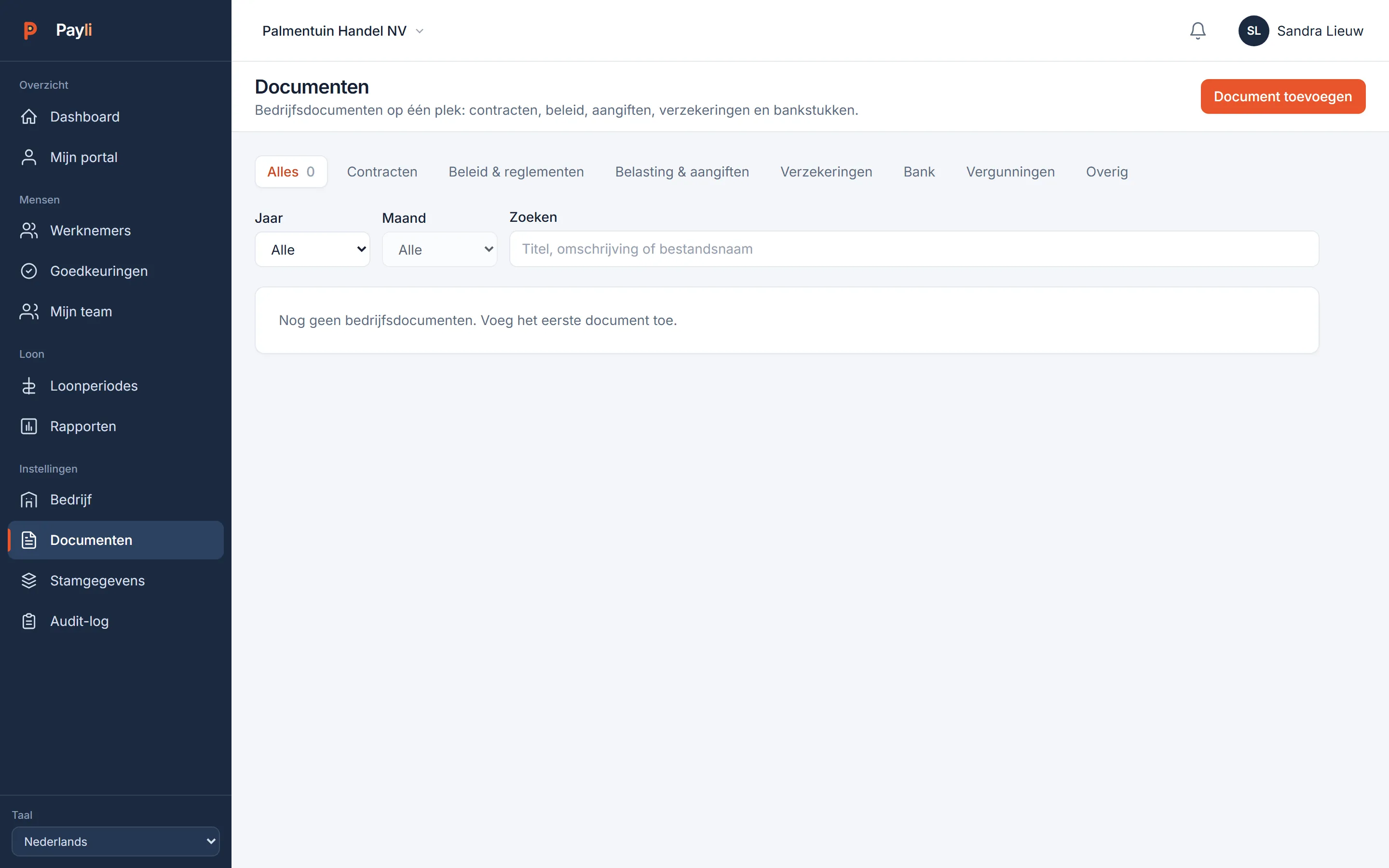
Company documents and documents per employee
Documents

Contract, ID and certificate with the employee.

Documents per employee with an expiry date: the dashboard and the portal flag in time what needs renewing. Company documents live separately, readable for everyone.

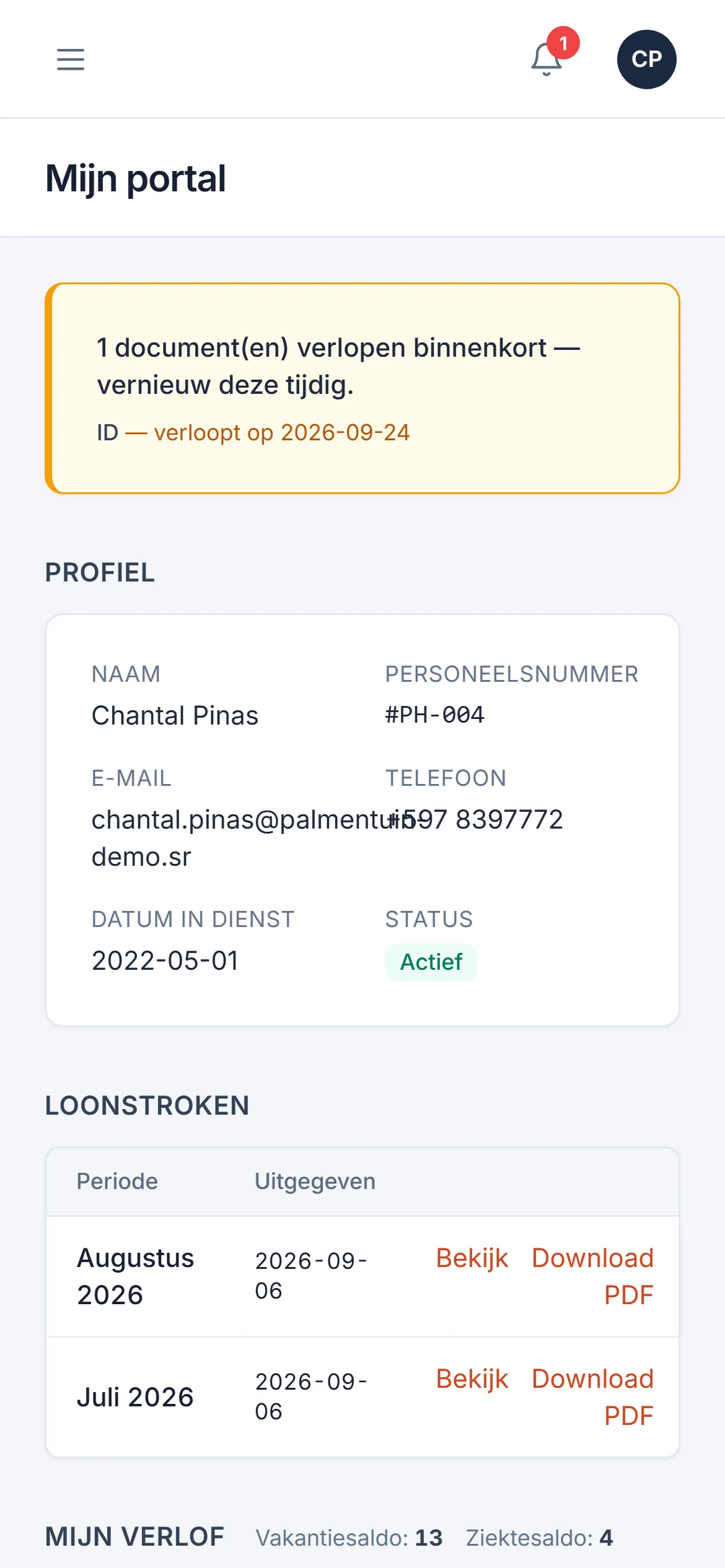
Employee portal on the phone
Portal

For the employee: payslip, balance, leave.

Own login, own data. Download payslips and annual statements, request leave, see the balance, view documents. Works on any phone, without an app store.

Hours

Hourly workers with overtime, and hours that come from the time clock by themselves.

Hourly pay that calculates

Hours times the employee's rate. Overtime is a factor on that rate (150 or 200 percent), so a rate change carries through automatically.

Hours import

Read a CSV from your time clock per period, with a preview before importing and the source on every line.

Automatic delivery

The clock PC delivers the file itself; Payli places it on the open period. No manual work on the first of the month.

Weekly pay

Weekly payers run on their own schedule next to the monthly staff, with the same tax rules.

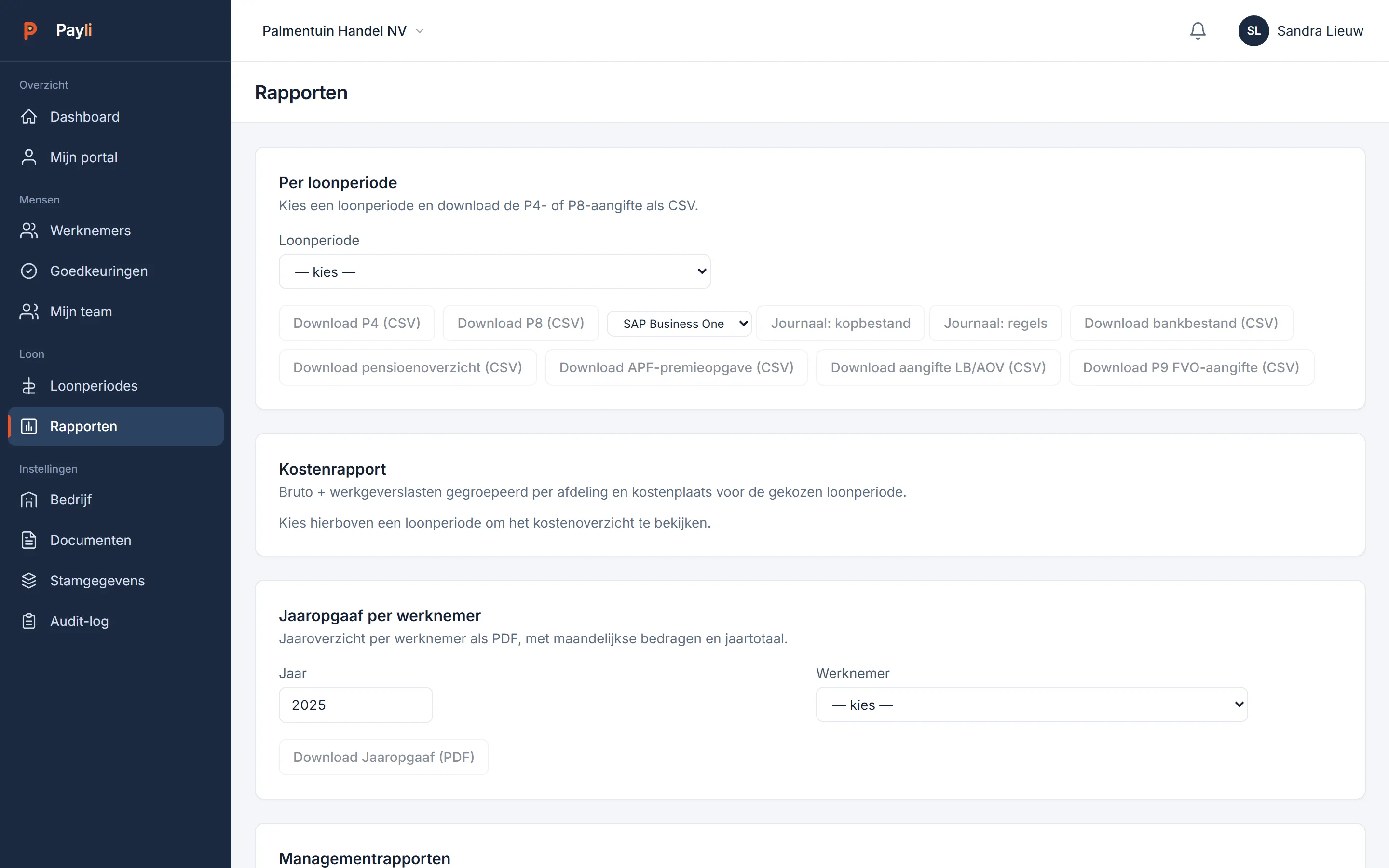
Reports screen with all filings and reports
Filings and reports

All from the same approved figures.

  • P4 and P8 per period, P9 FVO return, wage tax and AOV return
  • APF premium statement in the fund's format, with a check per participant
  • Pension overview, bank file, payroll journal (header and lines, also for SAP)
  • Cost report per department and cost centre, period comparison
  • Annual statement per employee as PDF; year-end close that locks the financial year
  • Audit log of every change, with who and when

Assistant and your own AI

Ask in plain language: "why is wage tax higher this month" or "how much leave does Ramdien have left". The assistant answers from your own figures and from our knowledge base of Surinamese payroll law, always with source and date. Prefer your own ChatGPT or Claude? Connect it to Payli.

Answers with a source

The assistant reads from the knowledge base we maintain: tables, premiums, decrees. If there is no source, it says so instead of guessing.

Your figures, your payslips

It sees the payroll period, the payslip and the leave balance you are looking at and explains line by line what is there.

Connect ChatGPT and Claude

Link your own ChatGPT or Claude to your Payli data and the knowledge base through MCP, in two minutes. You pay for your own ChatGPT or Claude; Payli charges US$ 5 per employer per month.

Credits, not a subscription

Five trial questions to start. Then you buy credits: 50 for US$ 5, 200 for US$ 15, 1,000 for US$ 50, valid twelve months and shared by your whole team. Pricing.

Integrations

After approval the payroll journal goes straight to the accounting system, with reversal and reconciliation.

Zoho Books

Connect from the app, map the chart of accounts, post the journal entry and reconcile. A reversal posts the opposite entry.

Odoo

Enter database and key, map accounts, post. Same workflow as Books.

SAP

Export of the payroll journal for SAP Business One and S/4HANA as header and line files.

Time clocks

Hours files per period, uploaded by hand or delivered automatically by the clock PC.

Connecting your own ChatGPT or Claude to Payli is under Assistant and your own AI.

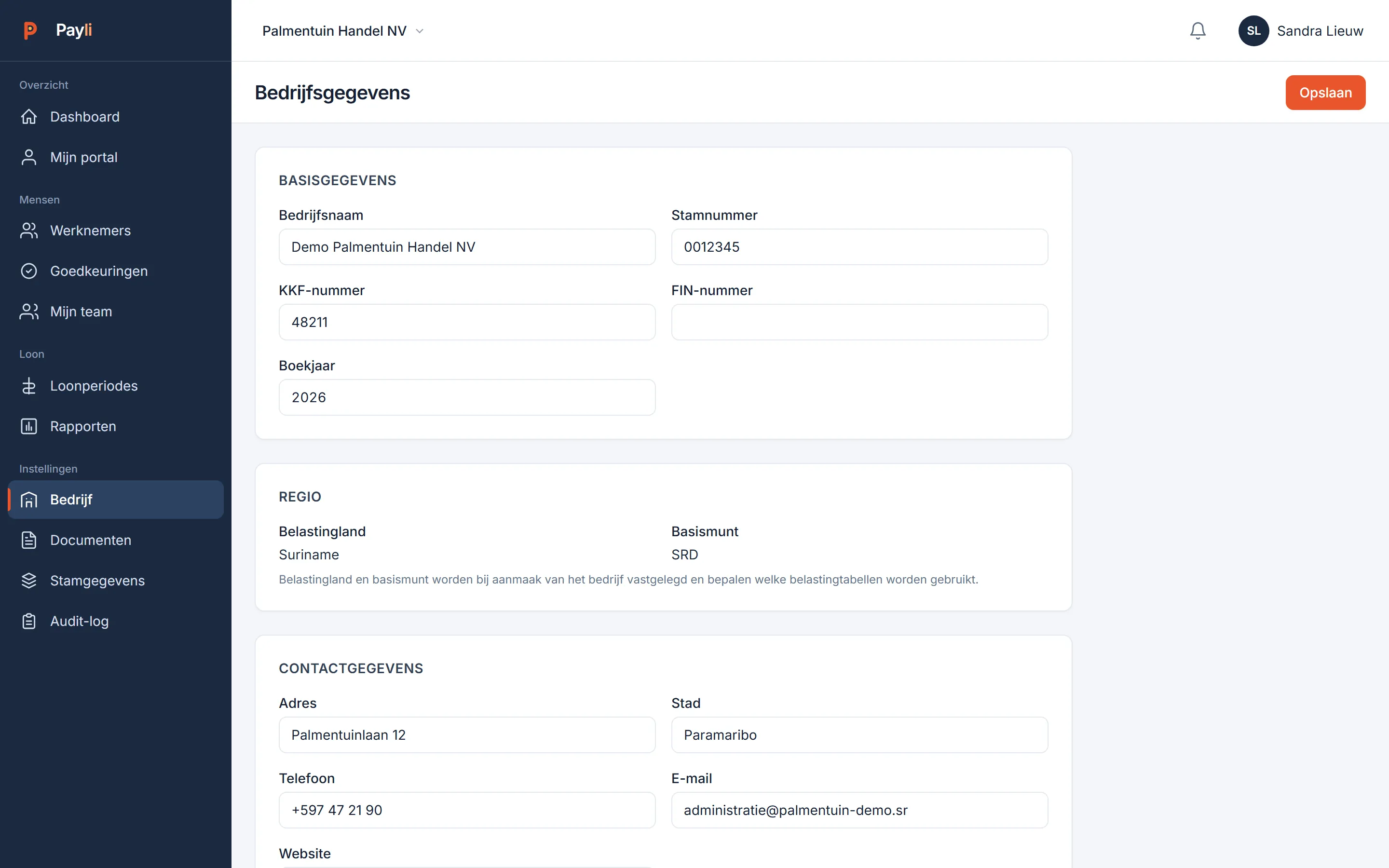
Company settings with modules, documents and security
Settings

Modules on or off, per employer.

What you do not use, you switch off: it disappears from the menu and the server refuses it too. Two-step verification can be made mandatory for everyone. Several employers under one login, strictly separated.

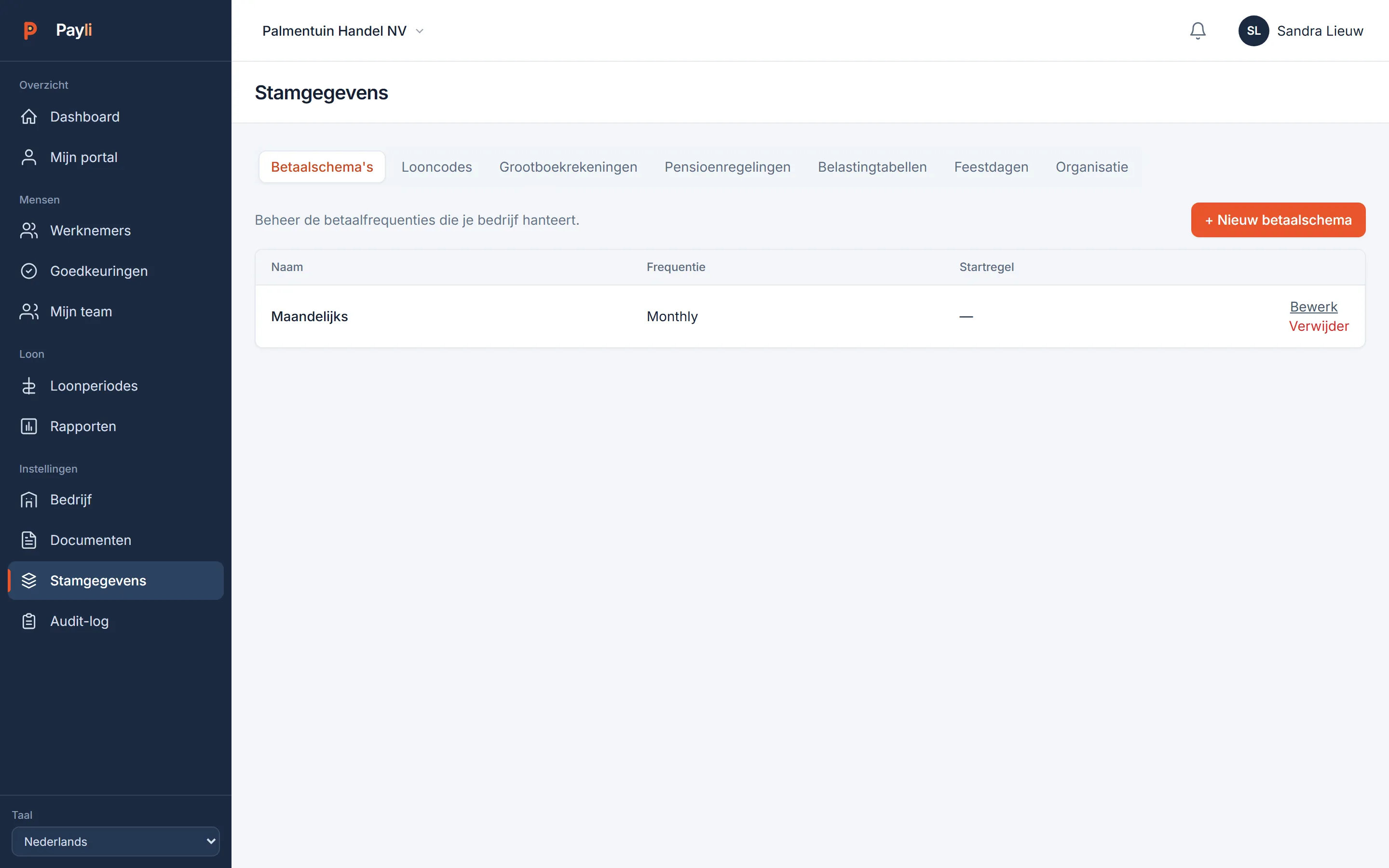
Master data: wage codes, departments, cost centres, pay schedules
Master data

Wage codes and tables are ready.

The Surinamese wage code set, tax tables and premiums are filled at registration. Your own wage codes, departments, cost centres, public holidays and pay schedules you add yourself.

Start today. Thirty days free, no card needed.

Register, add your employees, approve the first payslip. Prefer to look around first? Open the demo.